Simple 3D FPS Controller for Godot 4
Simple FPS Controller for Godot 4
Need a quick FPS prototype without spending time setting up a
CharacterBody3D, camera rig, movement system, and player stances?
This controller is ready to use out of the box. Just import it, configure a few
Input Actions, and you're ready to go.
If you find this asset useful, please consider supporting its development through a donation.
Recommended for learning and prototyping purposes only.
TEST IT!
This FPS Controller is available for preview. Just press the play button at the top of this page and test it yourself.
WASD: Move the character
Space: Jump
Shift: Sprint
Ctrl: Crouch
HOW TO
Extract the .zip file and place the folder anywhere inside your Godot 4 project under the res:// path.
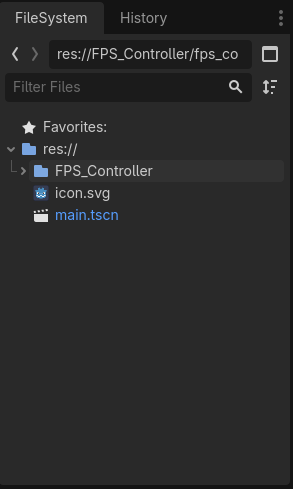
Adding the project to the Godot 4 filesystem
Set up a basic main scene similar to the one below.
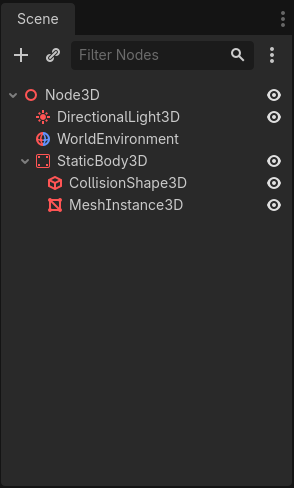
Basic main scene setup
Add the FPS Controller scene (located inside the FPS Controller folder you imported into your project) as a child of the scene you just created.
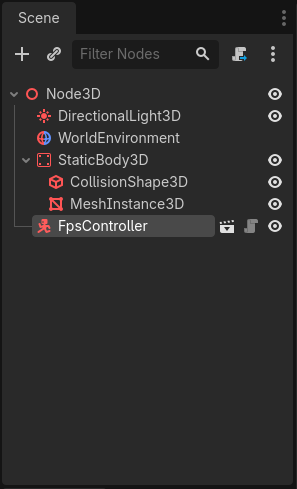
Adding the FPS Controller to the scene
Adjust the controller in the 3D editor...
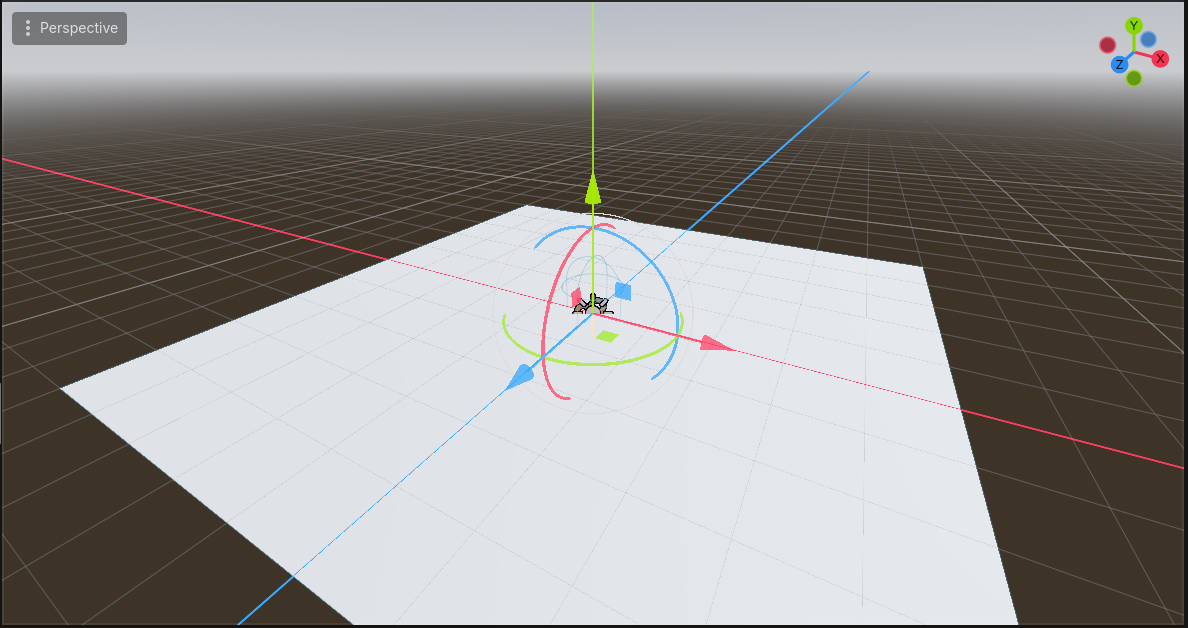
...so it is positioned above the StaticBody3D that will act as the floor.
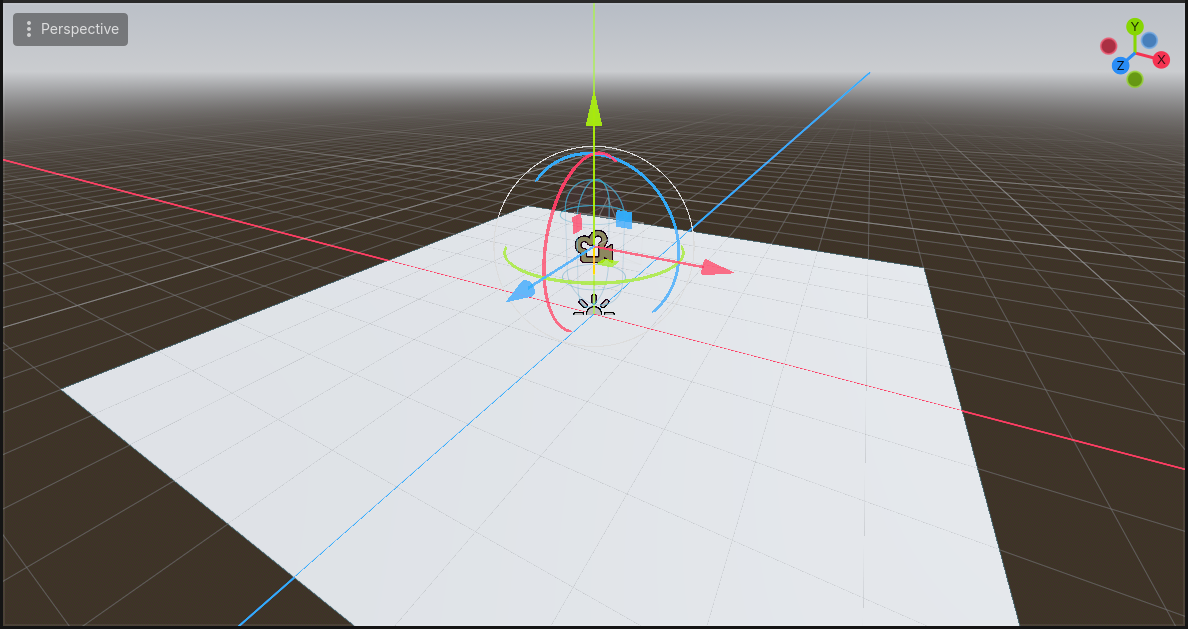
Now all that is left is setting up the input actions required for the FPS Controller to work. You can create the actions using the same naming convention already used by the controller.
Note: You can find the Input Map interface under
Project -> Project Settings... -> Input Map.
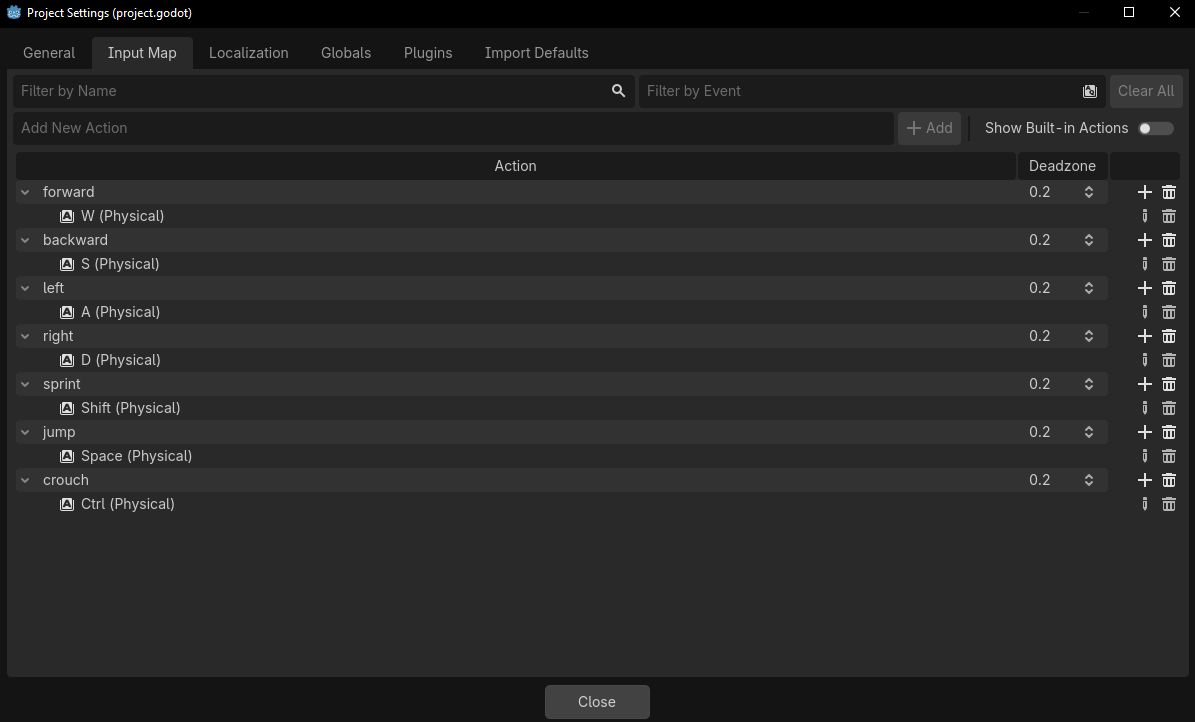
If you want, you can also change the input actions used by the controller by inspecting the FPSController scene added as a child of your current scene.
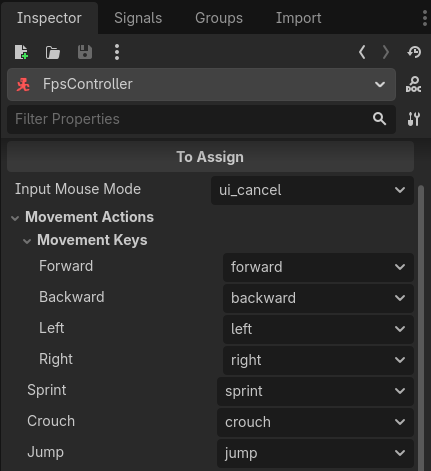
This allows you to create actions using whatever naming convention you prefer.
As an additional feature, this controller captures the mouse cursor inside the game window by default. You can change the action responsible for this behavior in the Input Mouse Mode option inside the controller inspector.
That's it. Press the Run Project button (or use F5) and you're ready to go.
Hope you enjoy it and that it helps with your projects.
Disclaimer: Don't worry, you can use it any way you like, no strings attached. Have fun!
Download
Click download now to get access to the following files:
Leave a comment
Log in with itch.io to leave a comment.